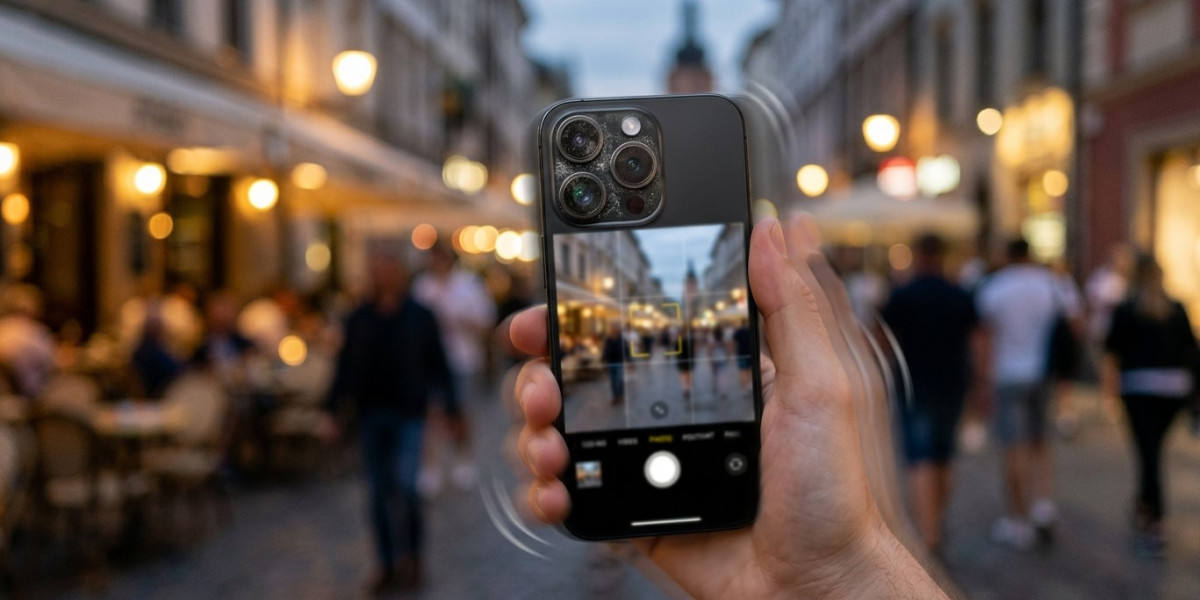

Smartphone cameras have become an important part of everyday life. People use them to capture family moments, create social media content, scan documents, record videos, and save important memories. Modern smartphones are capable of taking high-quality photos, but sometimes the camera suddenly produces blurry, unfocused, or unclear pictures.
A blurry smartphone photo can happen for many reasons. In some cases, the solution is simple, such as cleaning the camera lens or holding the phone more steadily. In other situations, a software problem, camera setting, damaged lens, autofocus issue, or internal hardware problem may be responsible.
For customers searching for Cell Phone Repair in Douglasville, GA, a camera that consistently takes blurry pictures can be a sign that the device needs more than basic troubleshooting. Mobile Device Techs helps customers with various smartphone and tablet concerns, including camera problems, screen damage, battery issues, charging difficulties, and other device-related problems.
Whether you need iPhone repair in Douglasville, GA, Samsung Phone Repair Douglasville, GA, or Samsung Tablet Repair in Douglasville, GA, understanding the possible causes of blurry pictures can help you determine whether you can fix the issue at home or whether professional assistance may be needed.
Why Are My Smartphone Pictures Blurry?
Before trying to fix the problem, it helps to understand what type of blur you are experiencing.
Your photos may appear:
- Blurry across the entire image
- Blurry only around the edges
- Out of focus
- Shaky or motion-blurred
- Clear in bright light but blurry in low light
- Blurry only with one camera lens
- Blurry after the phone was dropped
- Blurry even when the camera lens looks clean
The pattern of the problem can help identify the possible cause.
For example, blurry photos caused by hand movement are different from photos that remain permanently out of focus because of a damaged camera component.
1. A Dirty or Smudged Camera Lens
A dirty lens is one of the most common causes of blurry smartphone pictures.
Your phone is handled throughout the day, and fingerprints, dust, makeup, oil, and other debris can collect on the camera lens.
Even a small fingerprint can affect image quality.
You may notice:
- Hazy photos
- Soft images
- Blurry lights
- Reduced sharpness
How to Fix It
Clean the camera lens gently with a clean, soft microfiber cloth.
Avoid using rough materials that could scratch the lens or surrounding glass.
After cleaning the lens, take another picture and compare the result.
If the image becomes clear, the problem was likely caused by dirt or smudges.
2. Your Camera Is Not Focusing Correctly
Smartphone cameras use autofocus technology to adjust the lens and create a sharp image.
Sometimes the camera may focus on the wrong subject or fail to focus completely.
Try tapping the main subject on the screen before taking the picture.
This tells the camera where you want it to focus.
If the camera continues producing blurry pictures even after focusing manually, another issue may be involved.
3. The Phone Is Moving While You Take the Picture
Even a small amount of movement can create blur.
This is especially common when:
- Taking pictures in low light
- Using zoom
- Taking close-up images
- Capturing fast-moving subjects
The camera may use a slower shutter speed in darker environments, making movement more noticeable.
How to Fix It
Hold the phone steadily and press the shutter button gently.
For clearer photos:
- Use both hands
- Support your arms
- Lean against a stable surface
- Avoid sudden movement
You can also use a tripod or stable stand when taking important photos.
4. You Are Taking Pictures in Low Light
Low light can make it difficult for any camera to capture sharp images.
When there is not enough light, the camera may need more time to capture the image.
This increases the chance of motion blur.
You may notice that photos look clear outside during the day but blurry indoors or at night.
How to Fix It
Move to a brighter location when possible.
You can also:
- Turn on additional lighting
- Use the camera's low-light or night mode
- Hold the phone more steadily
- Avoid zooming unnecessarily
Better lighting often improves photo quality immediately.
5. Your Camera Lens Is Scratched or Damaged
A camera lens can become scratched or damaged after a drop or other accident.
Damage may not always be obvious at first.
Possible symptoms include:
- Permanent blur
- Hazy images
- Light streaks
- Difficulty focusing
If the lens is physically damaged, cleaning it will not solve the problem.
For customers looking for Cell Phone Repair in Douglasville, GA, professional evaluation may help determine whether the external lens cover or the camera component itself has been damaged.
6. Your Phone Case Is Blocking the Camera
Some phone cases are not designed correctly or may become loose.
A damaged or poorly fitted case can partially cover the camera lens.
The result may be:
- Dark corners
- Blurry edges
- Shadows
- Reduced image quality
Remove the phone case temporarily and test the camera again.
If the pictures improve, the case may be the cause.
7. The Camera App Has a Temporary Glitch
Sometimes the camera hardware is working properly, but the camera application has a temporary software problem.
You may notice that the image preview is blurry or the camera freezes.
Try closing the camera app completely and reopening it.
If the issue continues, restart the phone.
A restart can refresh temporary processes and resolve minor software problems.
8. Your Phone Software Needs an Update
Outdated software can sometimes cause camera problems.
Operating system and app updates may include:
- Bug fixes
- Performance improvements
- Camera improvements
- Compatibility updates
Check whether a system update is available.
Also make sure your camera application is updated if you are using a separate camera app.
After updating the device, restart the phone and test the camera.
9. The Autofocus System May Be Damaged
A camera that never focuses properly may have an autofocus problem.
This can happen after:
- Dropping the phone
- Water exposure
- Physical impact
The camera may continue trying to focus but never produce a sharp image.
You may hear or see the focus constantly adjusting.
If one camera lens consistently produces blurry images while another works normally, the affected camera component may have a hardware problem.
For customers searching for iPhone repair in Douglasville, GA, persistent autofocus issues may require professional diagnosis.
10. You Are Using Too Much Zoom
Digital zoom can reduce image quality.
When you zoom in heavily, the phone may enlarge part of the image instead of capturing additional optical detail.
This can make the photo look:
- Soft
- Pixelated
- Blurry
Move closer to the subject when possible.
If your phone has multiple cameras, choose the appropriate lens instead of relying heavily on digital zoom.
11. A Screen Protector or Camera Protector Is Affecting the Image
Camera protectors are sometimes placed over the lens area for additional protection.
However, a poor-quality, scratched, dirty, or incorrectly installed protector can affect photo quality.
Possible problems include:
- Blurry photos
- Light reflections
- Hazy images
- Distorted pictures
If you recently installed a camera protector and the photos became blurry afterward, consider removing it and testing the camera again.
12. Moisture Is Affecting the Camera
Moisture can cause problems inside or around the camera.
If your phone was exposed to water or high humidity, you may notice:
- Fog inside the camera area
- Hazy photos
- Blurry images
- Camera errors
The problem may appear immediately or develop later.
Do not ignore internal moisture.
If condensation is visible inside the camera area, professional evaluation may be needed.
13. The Camera Hardware May Be Failing
Smartphone cameras contain delicate components.
Over time or after damage, the camera may begin to fail.
Possible signs include:
- Persistent blur
- Focus problems
- Camera shaking
- Camera app errors
- A black camera screen
If basic troubleshooting does not improve the problem, the camera hardware may require professional attention.
For customers looking for Samsung Phone Repair Douglasville, GA, persistent camera issues can be evaluated to determine whether the problem involves the camera component or another internal part.
How to Fix a Smartphone Camera That Takes Blurry Pictures
Try these steps one at a time.
Step 1: Clean the Camera Lens
Use a clean microfiber cloth to remove fingerprints and dust.
Step 2: Tap the Subject to Focus
Select the main subject on the screen before taking the photo.
Step 3: Hold the Phone Steady
Use both hands and avoid movement.
Step 4: Improve the Lighting
Take photos in a brighter environment when possible.
Step 5: Restart the Phone
Restarting may solve temporary camera problems.
Step 6: Remove the Phone Case
Check whether the case is interfering with the camera.
Step 7: Remove a Problematic Camera Protector
Test the camera without an accessory covering the lens.
Step 8: Update Your Software
Install available phone and app updates.
Step 9: Test Different Camera Lenses
If your phone has multiple cameras, test each one.
Step 10: Seek Professional Help
If one camera remains blurry despite troubleshooting, professional diagnosis may be necessary.
Why Is My iPhone Camera Blurry?
An iPhone camera may produce blurry photos because of a dirty lens, focus problem, low lighting, excessive movement, software issues, or physical damage.
Start by cleaning the lens and restarting the phone.
Tap the subject on the screen to focus.
If the problem continues after software updates, inspect the phone for signs of recent physical or liquid damage.
For customers searching for iPhone repair in Douglasville, GA, a professional evaluation may help determine whether the autofocus system or camera component needs attention.
Why Is My Samsung Phone Camera Blurry?
Samsung phones may take blurry pictures because of dirty lenses, camera settings, focus problems, low light, or hardware damage.
Test the camera in different lighting conditions and with different camera lenses.
Restart the phone and check for available software updates.
If one camera consistently produces blurry images, Samsung Phone Repair Douglasville, GA may help identify whether the camera hardware has developed a problem.
Why Is My Samsung Tablet Camera Blurry?
Samsung tablets can also experience blurry camera problems.
Clean the lens and test the camera in good lighting.
Check whether the tablet is using the correct focus and camera mode.
If the issue continues despite basic troubleshooting, customers looking for Samsung Tablet Repair in Douglasville, GA may consider professional assistance.
How to Prevent Blurry Smartphone Pictures
You can reduce the chances of blurry photos by following a few simple habits.
Keep the Camera Lens Clean
Regularly wipe away fingerprints and dust.
Use a Quality Phone Case
Choose a case that does not interfere with the camera area.
Avoid Dropping the Phone
Physical damage can affect the lens and internal camera components.
Keep Your Software Updated
Updates can address camera-related bugs.
Use Proper Lighting
Better lighting can improve focus and reduce motion blur.
When Should You Seek Professional Repair?
Consider professional assistance if:
- Your camera stays blurry after cleaning the lens.
- One camera lens never focuses.
- The problem started after a drop.
- The phone was exposed to water.
- You see condensation inside the camera.
- The camera shakes or vibrates.
- The camera app displays repeated errors.
- Basic troubleshooting does not solve the problem.
These symptoms may indicate physical damage or camera hardware failure.
Final Thoughts
A smartphone camera can take blurry pictures for many different reasons. A dirty lens, poor lighting, phone movement, incorrect focus, excessive zoom, software problems, damaged accessories, moisture, or internal hardware issues can all affect photo quality.
Start with the simplest solutions. Clean the camera lens, tap the subject to focus, hold the phone steadily, and take pictures in better lighting. Restart your device and check for software updates if the problem continues.
If your camera remains blurry after these steps, especially after a drop or water exposure, professional diagnosis may be necessary.
For customers searching for Cell Phone Repair in Douglasville, GA, Mobile Device Techs can help evaluate persistent smartphone and tablet concerns. Whether you need iPhone repair in Douglasville, GA, Samsung Phone Repair Douglasville, GA, or Samsung Tablet Repair in Douglasville, GA, professional assistance can help identify camera-related and other device problems.
By keeping your camera lens clean, protecting your phone from physical and liquid damage, using proper lighting, and addressing persistent problems early, you can help maintain clearer photos and more reliable smartphone performance.