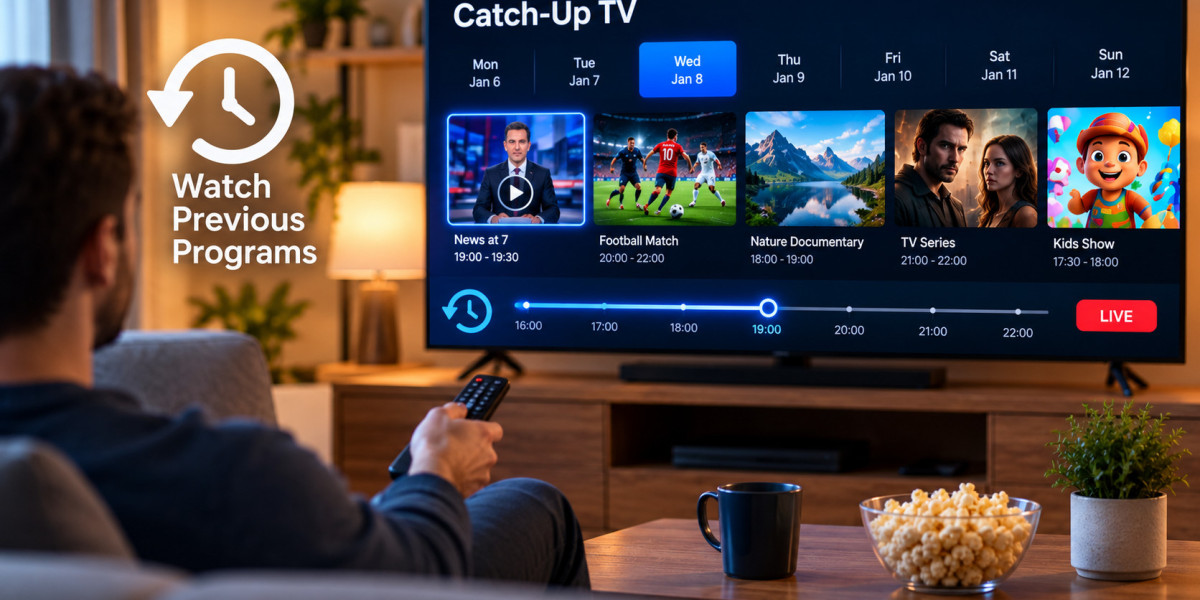

Live television does not always fit neatly into a viewer's schedule. A sports match may begin during work hours, a news program might air while someone is traveling, or a favorite show may be broadcast when another family member is using the television.
Catch-up TV can make IPTV more flexible by allowing selected previously broadcast programs to remain available for a limited period. However, catch-up functionality is not identical across every IPTV service, channel, or application.
Understanding how it works can help viewers know what to expect before choosing a service or configuring an IPTV player.
What Is Catch-Up TV?
Catch-up TV allows viewers to access certain television programs after their original live broadcast.
Instead of needing to watch a program at the exact time it airs, the viewer may be able to return to an earlier point in the television schedule and start the program again.
The feature is particularly useful for scheduled content such as:
News programs
Sports events
Entertainment shows
Documentaries
Television series
Children's programming
Availability depends on the provider and individual channel. Not every channel necessarily supports catch-up viewing.
How IPTV Catch-Up Works
Traditional live television follows a fixed schedule. When a program ends, the next one begins.
With catch-up support, selected broadcasts are temporarily stored so viewers can access them later.
Inside a compatible IPTV player, a viewer may open the Electronic Program Guide, locate an earlier program, and select it for playback.
The process usually involves three components:
The IPTV service must provide catch-up access.
The channel must support archived programming.
The IPTV player must be compatible with the catch-up function.
If one of these components is missing, the feature may not work even if the other two are available.
Catch-Up TV and Video on Demand Are Different
Catch-up television and video on demand are often grouped together, but they serve different purposes.
Catch-Up TV
Catch-up is generally connected to television that was previously broadcast live.
A program may remain available only for a particular period after airing.
Video on Demand
Video on demand, commonly called VOD, usually contains movies or series organized separately from the live channel schedule.
Users select content from a library rather than finding it through an earlier television broadcast.
Both features allow viewers to watch content outside a live schedule, but their organization and availability are different.
How the EPG Helps With Catch-Up
The Electronic Program Guide plays an important role in many catch-up systems.
An EPG displays channel schedules, showing what is currently playing and what aired earlier.
If catch-up is supported, previous programs may appear as selectable entries within the guide.
This creates a convenient workflow:
Open the program guide
Select a channel
Move backward through the schedule
Choose an available program
Start playback
Without accurate EPG information, identifying archived broadcasts can be more difficult.
How Long Does Catch-Up Content Remain Available?
There is no universal retention period for IPTV catch-up content.
Some services may keep certain programs available for a short period, while others may maintain longer archives on selected channels.
The length can also differ from one channel to another.
For this reason, users should not assume that every earlier program will remain available indefinitely.
If catch-up is an important feature, check how the provider describes its availability before subscribing.
Why Some Channels Have Catch-Up and Others Do Not
It is common to see catch-up available on some channels but missing from others.
Several factors can influence this.
Provider Configuration
The IPTV provider determines which available channels are configured for archived playback.
Content Availability
Different broadcasters and content sources may have different technical or distribution arrangements.
Storage Requirements
Recording and maintaining large amounts of television content requires storage and server resources.
Player Compatibility
A channel may support catch-up through the service while a particular application does not display the function correctly.
This is why testing another compatible IPTV player can sometimes help determine whether the issue is application-related.
Catch-Up on Smart TVs
Smart TVs are popular IPTV devices because they allow streaming applications to run directly on the television.
When using catch-up on a Smart TV, navigation usually happens through the remote control.
A well-designed IPTV application should make it relatively easy to:
Open the EPG
Move backward through program listings
Identify archived programs
Start previously aired content
Return to live television
The exact interface depends on the application.
Before installing a player, check whether it supports catch-up functionality if that feature is important to you.
Catch-Up on Streaming Boxes
Android TV devices and other streaming boxes can offer more IPTV player choices than some television operating systems.
This can be useful because different players organize catch-up content differently.
One application may place archived programs directly in the EPG, while another may use a dedicated catch-up section.
Users should compare interface simplicity as well as compatibility.
Catch-Up on Phones and Tablets
Mobile devices can make archived television particularly convenient.
Someone who missed a live program at home may be able to watch it later on a tablet or smartphone, assuming the IPTV service, application, and account allow it.
However, video streaming can use a significant amount of mobile data.
Using Wi-Fi is generally more practical when watching longer programs.
Internet Stability Still Matters
Catch-up content may not be live, but it still relies on internet streaming.
A weak or unstable connection can cause:
Buffering
Slow loading
Reduced video quality
Playback interruptions
Failed program starts
If catch-up frequently pauses, users should test their internet connection before assuming the archive itself is unavailable.
Trying the same program on another device can also help identify whether the issue is connected to the original device.
What to Check Before Choosing an IPTV Service
Catch-up can be useful, but it should be considered alongside other practical features.
Before choosing a provider, users may want to compare:
Supported devices
Available subscription periods
Number of simultaneous connections
EPG support
Catch-up availability
Live TV categories
On-demand content
Setup instructions
Customer support options
When researching IPTV services, viewers may compare providers such as ZYRA IPTV with other available options and determine which combination of features is most appropriate for their devices and viewing habits.
A service should be evaluated as a complete package rather than on a single feature alone.
Common Catch-Up Problems
Even when catch-up is available, users can occasionally encounter problems.
The Program Does Not Start
First, try another archived program.
If only one entry fails, the problem may be limited to that particular program rather than the entire service.
Previous Programs Are Missing
Check whether the channel actually supports catch-up.
Not every channel in a television list necessarily has archived programming.
The EPG Is Empty
If the application cannot load program guide information, catch-up navigation may also be affected.
Refresh the EPG if the player provides that option.
Program Times Are Incorrect
Incorrect device or application time-zone settings may cause programs to appear under the wrong time slots.
Check the date, time, and time-zone configuration.
Catch-Up Works on One Device but Not Another
This can indicate a difference between the IPTV applications installed on the two devices.
Confirm that both players support the same catch-up functionality.
How to Troubleshoot Catch-Up Step by Step
It is better to test one potential cause at a time.
Start with these basic checks:
Confirm that regular live television works.
Open the EPG and check whether past programs are visible.
Test more than one catch-up-enabled channel.
Restart the IPTV application.
Check the device's internet connection.
Verify the time-zone settings.
Update the IPTV player if an update is available.
Test the account in another compatible application if necessary.
If everything on the local device appears normal but catch-up remains unavailable, contacting the provider may be the next appropriate step.
Organize Favorites for Easier Catch-Up Viewing
Large IPTV channel lists can make finding programs unnecessarily difficult.
Adding frequently watched channels to a favorites list can simplify both live and catch-up navigation.
For example, someone who mainly watches sports and news can create a smaller list containing only the relevant channels.
This makes it easier to browse earlier programming without scrolling through unrelated categories.
Do Not Confuse Recording With Catch-Up
Recording and catch-up can both allow programs to be watched later, but they are not the same feature.
With recording, the user or device actively saves a selected program.
With catch-up, archived television is normally provided through the service without the viewer needing to schedule a recording in advance.
Some IPTV applications may support both features, depending on the service and device.
Users should check each feature separately if they want both.
Keep Your IPTV Application Updated
An outdated player can sometimes cause problems with EPG loading, archived playback, or general compatibility.
Updating the application can provide:
Bug fixes
Improved navigation
Better device compatibility
Security improvements
More reliable EPG handling
Device software should also be kept current where practical.
Protect Your Account Information
Catch-up does not require different security habits from ordinary IPTV use.
Keep usernames, passwords, playlist URLs, and other account information private.
Avoid entering IPTV credentials into unknown websites or applications from untrusted sources.
If the service allows several devices, understand its connection rules before sharing account access within a household.
Consider Content Rights and Local Rules
IPTV is a technology for distributing television through internet networks.
Catch-up functionality does not automatically establish whether particular television content is licensed for distribution.
Users should choose legitimate services, review applicable local regulations, and check the provider's terms before accessing content.
This is particularly important because broadcasting and distribution rights can vary between countries and programs.
Who Benefits Most From Catch-Up TV?
Catch-up functionality can be especially useful for viewers who:
Have irregular work schedules
Frequently miss scheduled programs
Follow live sports or news
Share televisions with other household members
Watch television across different time zones
Prefer not to organize manual recordings
For viewers who primarily watch movies and complete series through VOD libraries, catch-up may be less important.
The value of the feature ultimately depends on individual viewing habits.
Final Thoughts
Catch-up TV adds flexibility to IPTV by giving viewers another opportunity to watch selected programs after their original broadcast.
For the best experience, the IPTV provider, channel, EPG, application, and device all need to support the feature correctly.
Before choosing a service, users should check how catch-up works, which channels support it, how long programs remain available, and whether their preferred IPTV player is compatible.
When combined with a clear program guide, reliable internet connection, and suitable device, catch-up can make scheduled television much easier to fit around everyday life.