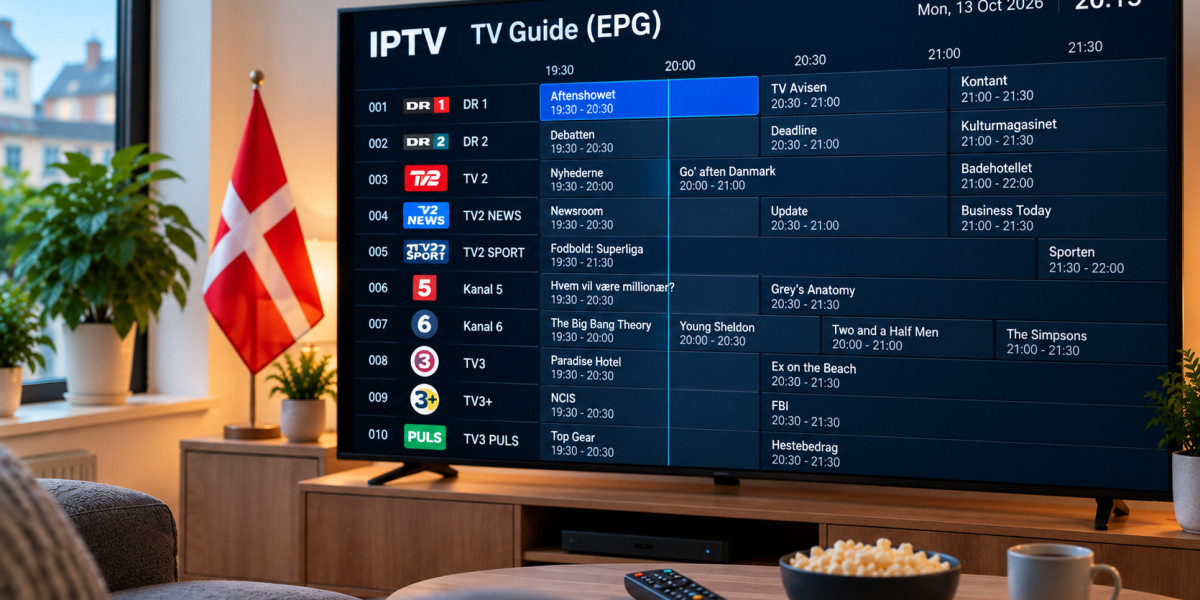

An electronic programme guide can make IPTV much easier to use. Instead of opening channels one by one to discover what is currently playing, an EPG displays programme names, schedules, start times, and upcoming shows directly inside a compatible IPTV player.
For viewers in Denmark, a properly configured EPG can improve navigation across Danish channels, international television, sports, films, and entertainment. However, programme guides do not always load correctly. Missing schedules, incorrect times, and blank programme information are common issues.
Understanding how IPTV EPG data works can make these problems easier to solve.
What Is an IPTV EPG?
EPG stands for Electronic Programme Guide.
It is a digital television schedule that shows information about programmes available on different channels.
Depending on the IPTV player and data source, an EPG may display:
- Current programmes
- Upcoming programmes
- Programme start and finish times
- Programme descriptions
- Channel names
- Programme categories
- Daily television schedules
It works in a similar way to the programme guide found on traditional digital television platforms.
Does the IPTV Player Create the EPG?
Usually, no.
The IPTV player displays programme information, but the actual EPG data generally comes from an external source or from the IPTV service.
This distinction is important.
If channels play correctly but the programme guide is empty, replacing the entire IPTV service may not be necessary. The issue could instead involve the EPG source, player configuration, or channel matching.
How IPTV EPG Data Is Added
Different services and IPTV applications use different methods.
Automatic EPG Setup
Some services automatically include programme guide information with the login details.
Once the playlist or account is loaded, the compatible IPTV player may automatically download EPG data.
This is usually the easiest setup for users.
EPG URL
Some configurations require a separate EPG URL.
The user enters the address into the IPTV player, which then downloads programme information from that source.
This is commonly associated with XMLTV-style programme data.
Manual Channel Matching
In some applications, the EPG information may be available but not correctly associated with individual channels.
Users may need to match a television channel manually with its corresponding programme guide entry.
Why Is My IPTV EPG Not Showing?
A blank programme guide can have several causes.
Before changing applications, start with the simplest possibilities.
The EPG Has Not Finished Loading
Large channel lists may take time to process.
After adding a new playlist or account, allow the application to finish downloading programme information.
Closing the app immediately can sometimes interrupt the process.
The EPG Source Is Missing
If the player requires a separate programme guide address, make sure it has been entered correctly.
A missing character in a long URL can prevent the guide from loading.
The Data Needs Refreshing
EPG information is updated regularly because television schedules change.
Most compatible players include an option to refresh or reload programme guide data.
If the guide suddenly becomes blank or outdated, refreshing it is a sensible first step.
Why Are Programme Times Incorrect?
Another common problem is seeing the correct programme but at the wrong time.
For example, an EPG might show a programme starting one hour earlier or later than expected.
This can happen because of timezone settings.
Check the Device Timezone
Make sure the Smart TV, streaming box, computer, or mobile device is configured for the correct local timezone.
For viewers in Denmark, automatic date and time settings can often reduce configuration errors.
Check the IPTV Player Settings
Some IPTV applications provide a separate EPG time offset.
If programme information appears consistently one hour ahead or behind, check whether an offset has been applied.
Avoid changing several timezone settings at once because this can make troubleshooting more difficult.
Daylight Saving Time Can Affect EPG Schedules
Denmark observes seasonal clock changes.
During transitions between standard time and daylight saving time, programme guides may temporarily display incorrect scheduling if the data source or device has not adjusted correctly.
If the issue appears immediately after a clock change, check:
- Device date and time
- Automatic timezone settings
- EPG offset
- Application updates
- Programme guide refresh options
The issue may resolve once all systems have updated to the same time setting.
Why Do Some Channels Have EPG and Others Do Not?
It is possible for one IPTV playlist to show complete programme information for certain channels while others remain blank.
This does not necessarily mean the application is faulty.
Possible reasons include:
- No EPG data exists for that channel
- The channel name does not match the guide source
- The service has not mapped the channel correctly
- The EPG provider does not cover that region
- The guide source is temporarily unavailable
International channel lists can make matching more complicated because the same television network may have several regional versions.
How to Refresh an IPTV EPG
The exact menu varies between applications, but the general process is usually straightforward.
Step 1: Open Player Settings
Look for options related to playlists, television guides, EPG, or programme information.
Step 2: Select the EPG Source
Confirm that the correct guide source is connected to the active playlist.
Step 3: Refresh the Data
Choose an option such as:
- Refresh EPG
- Update TV guide
- Reload programme data
- Clear and reload EPG
Allow the process to complete before reopening the television guide.
Step 4: Restart the App
If the data has downloaded but is not displayed correctly, closing and reopening the application may help.
How Often Should an EPG Be Updated?
Programme schedules change frequently, so EPG data should not be treated as permanent.
Many IPTV players can refresh the guide automatically at regular intervals.
Automatic updates are useful because they reduce the need for manual maintenance.
However, refreshing excessively is rarely necessary. In most cases, the player's normal update schedule should be sufficient.
Choosing an IPTV Player With Good EPG Support
Users who regularly watch live television may want to make EPG functionality an important part of choosing a player.
Useful programme guide features can include:
- Multi-day schedules
- Quick channel navigation
- Programme descriptions
- Search
- Favourites
- Automatic updates
- Manual EPG assignment
- Time offset controls
Not every application offers the same features.
A simple player may be suitable for occasional viewing, while users who watch scheduled television frequently may prefer more advanced programme guide controls.
Check Compatibility Before Setting Everything Up
The IPTV service, player, device, and programme guide need to work together.
Before choosing a long-term subscription or paid IPTV application, check what setup methods are supported.
Viewers comparing IPTV options for Denmark can include DANMARK IPTV in their research when reviewing device support, subscription information, and installation guidance.
Confirming compatibility in advance can reduce problems with playlists, EPG information, and application setup.
Does Internet Speed Affect EPG Loading?
EPG data itself generally requires much less bandwidth than streaming video.
However, an unstable internet connection can still prevent the application from downloading programme information successfully.
If the guide repeatedly fails to update, test whether other internet functions on the device are working normally.
Try:
- Restarting the router.
- Reconnecting the device to Wi-Fi.
- Testing another application.
- Using Ethernet where practical.
- Refreshing the EPG again.
If streaming works normally but only the programme guide fails, the issue is more likely related to the guide source or application configuration.
Keep the IPTV Application Updated
An outdated IPTV player may develop compatibility problems.
Check the official app store for available updates.
Updates may include:
- EPG fixes
- Improved playlist handling
- Better device compatibility
- Performance improvements
- Interface changes
Updating the application is particularly useful when an issue begins after the television or streaming device receives a system update.
Avoid Entering EPG Details Repeatedly
When an EPG fails to load, users sometimes delete and re-enter their entire configuration several times.
This can create additional problems.
A better troubleshooting order is:
- Check the internet connection.
- Refresh the EPG.
- Confirm the guide URL or source.
- Check timezone settings.
- Restart the application.
- Update the player.
- Reconfigure the guide only if necessary.
Changing one setting at a time makes it easier to identify what caused the problem.
EPG and Recording Features
Some IPTV players include recording or reminder functions connected to programme guide information.
Availability depends on the player, device, storage configuration, and service.
Users should not assume that EPG support automatically means recording is available.
Check the player's documentation and device capabilities before relying on these features.
Consider Content Rights and Legal Use
EPG technology simply provides television schedule information. IPTV itself is also a delivery technology.
Whether particular content can be legally distributed depends on licensing and distribution rights.
Users should research IPTV services carefully and consult current Danish regulations or reliable legal guidance if they are uncertain about a particular provider.
Final Thoughts
An IPTV EPG can transform a long channel list into a much easier television experience.
For viewers in Denmark, programme guide problems often come from incorrect timezone settings, outdated data, channel mapping issues, or an unavailable EPG source rather than from the television itself.
Start by refreshing the programme guide, checking the device time, and confirming that the correct EPG source is connected.
Choosing an IPTV player with reliable programme guide support and making sure it is compatible with the service can make live television easier to browse and manage.